BrainTrainingPictogram

iPhone / iPad · iOS 15.1+

Many pictograms.Find the one in red.

Find the pictogram that matches the red sample in the center among the rotated pictures around it. Start from as few as 2 pictures and set the difficulty to suit each player.

Scan with your iPhone

BrainTrainingPictogram

When it helps

What it does

  1. 01

    Tap the matching picture

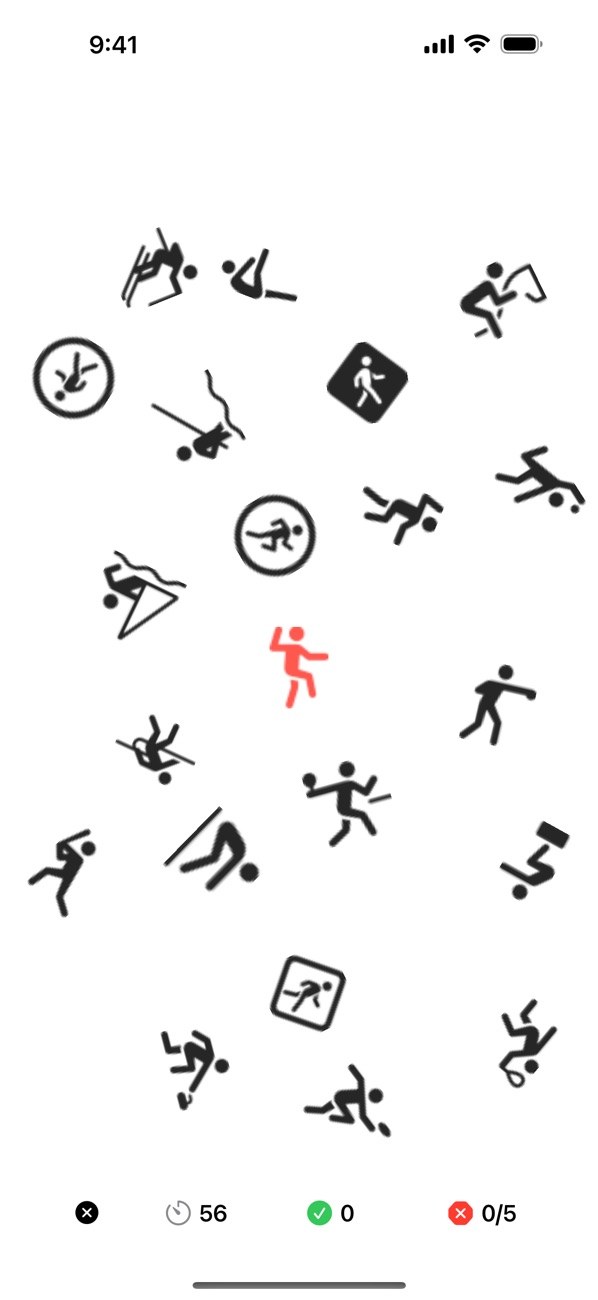
    Find the picture that matches the red one in the center among pictures facing every direction. A correct tap brings up the next round right away.

  2. 02

    60 seconds, 5 mistakes

    A game ends after 60 seconds or 5 mistakes. Time left, correct answers and mistakes are shown at the bottom.

  3. 03

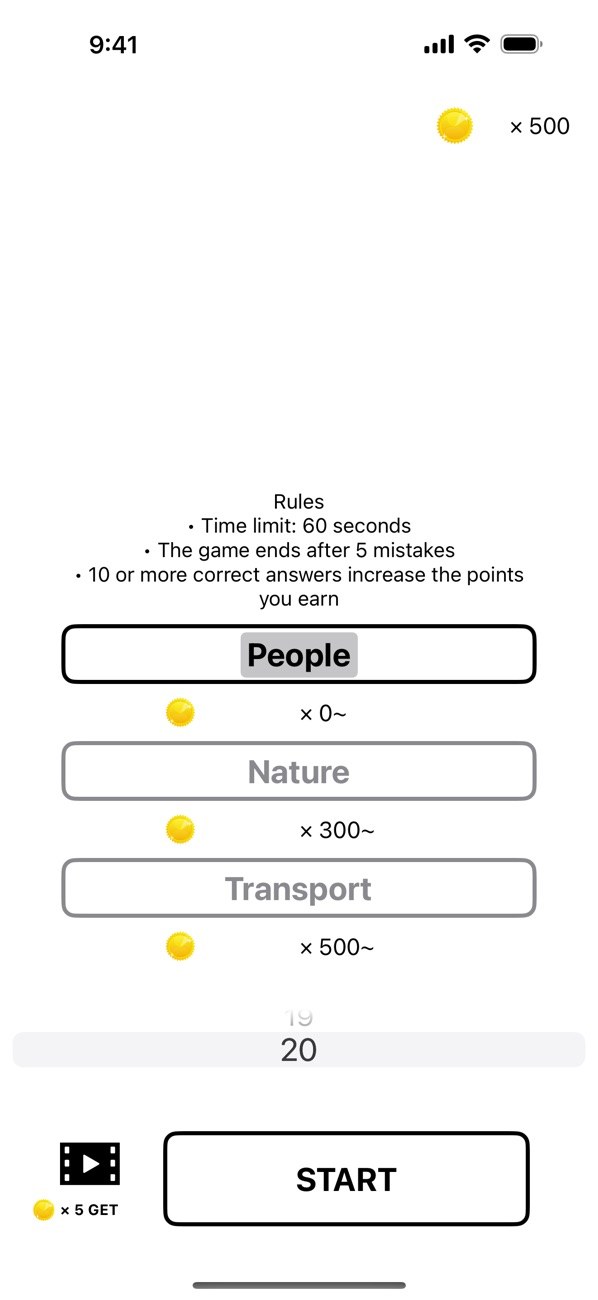
    Choose how many pictures

    Show 2 to 20 pictures on iPhone, or 2 to 50 on iPad.

  4. 04

    People, Nature, Transport

    People is open from the start. Nature unlocks at 300 brain points and Transport at 500.

  5. 05

    Eight languages, dark mode

    The app runs in eight languages, including Japanese and English, and supports dark mode, Dynamic Type and VoiceOver.

In detail

Find the picture that matches the sample
01

Find the picture that matches the sample

A red sample picture appears in the center. Rotated pictures are scattered around it, and you tap the one that matches the sample. A correct answer brings up the next round right away.

  • The sample is shown in red
  • Surrounding pictures face different directions
  • Only the picture you got right stays enlarged
60 seconds, or 5 mistakes
02

60 seconds, or 5 mistakes

A game lasts 60 seconds. It also ends as soon as you have made 5 wrong taps. While you play, the time left, correct answers and mistakes are shown at the bottom of the screen.

  • Time left in seconds
  • Correct answers
  • Mistakes (out of 5)
  • Quit with the x button at the bottom left
Choose from 2 pictures upward
03

Choose from 2 pictures upward

Use the picker on the start screen to set how many pictures appear: 2 to 20 on iPhone, 2 to 50 on iPad. The number you choose is remembered the next time you open the app.

  • Up to 20 on iPhone
  • Up to 50 on iPad
  • First launch starts at the maximum
Pick a theme: People, Nature or Transport
04

Pick a theme: People, Nature or Transport

There are three themes. People is available from the start. Nature needs 300 brain points or more, and Transport needs 500 or more. Locked themes show a lock icon.

  • People: x 0 and up
  • Nature: x 300 and up
  • Transport: x 500 and up
Collect brain points
05

Collect brain points

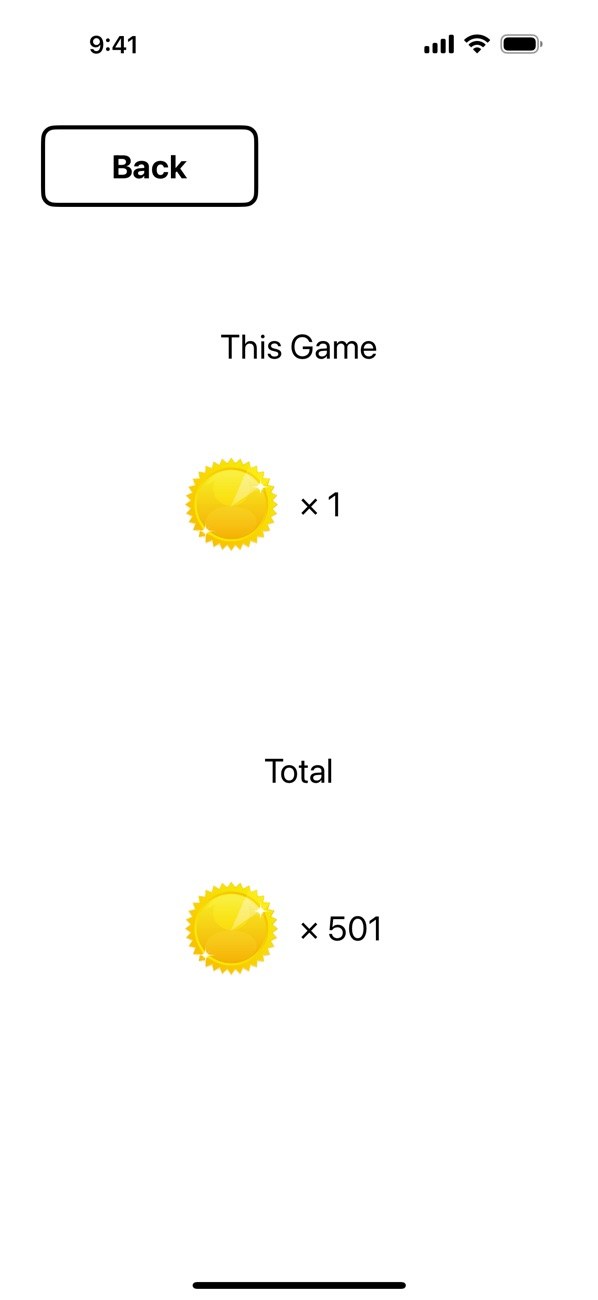
When a game ends, the result screen shows what you earned this time and your total. With 10 or more correct answers you earn as many points as the number of pictures shown. Otherwise you earn 1 point.

  • This round and total shown
  • 10 or more correct answers earns more
  • Watching a video gives 5 points

How it works

  1. 1
    Choose a theme and a number of pictures

    Choose a theme and a number of pictures

    On the start screen, pick People, Nature or Transport, then set the number of pictures with the picker.

  2. 2
    Press Start and tap the matching picture

    Press Start and tap the matching picture

    Look for the picture that matches the red one in the center and tap it. Keep going for 60 seconds, before you reach 5 mistakes.

  3. 3
    See your points on the result screen

    See your points on the result screen

    The result shows what you earned this time and your total. Tap Back to return to the start screen.

  4. 4

    Watch a video for extra points

    Tap the video icon at the bottom left of the start screen. When the video finishes, 5 points are added.

Screens

Choose a theme and how many pictures

FAQ

What kind of game is it?

You look for the picture that matches the sample in the center and tap it among the scattered pictures. The pictures are shown rotated.

When does a game end?

It ends when the 60-second limit passes or when you reach 5 mistakes. To stop early, tap the x button at the bottom left of the game screen. Quitting does not add points.

Can I change the difficulty?

Yes. You can change how many pictures appear: 2 to 20 on iPhone and 2 to 50 on iPad.

Why can't I choose Nature or Transport?

Nature unlocks at 300 brain points and Transport at 500. Points increase from game results and from watching a video.

How do brain points increase?

When a game ends, you get as many points as the number of pictures shown if you had 10 or more correct answers, and 1 point otherwise. Watching the video on the start screen gives 5 points.

Does the app show ads?

Banner ads appear on the game and result screens. On the start screen you can choose to watch a video ad to earn points.

Does it support dark mode and text size settings?

Yes. It supports dark mode, the device text size setting and VoiceOver.

What does it cost, and which languages are supported?

It is free to download on the App Store and requires iOS 15.1 or later. The app is shown in Japanese, English, Spanish, French, Italian, Korean, Russian and Traditional Chinese.

Find the one that matches the red sample.

Download on the App Store
BrainTrainingPictogramGet